
BPexch Registration Requirements in Pakistan: Complete Checklist
TL;DR
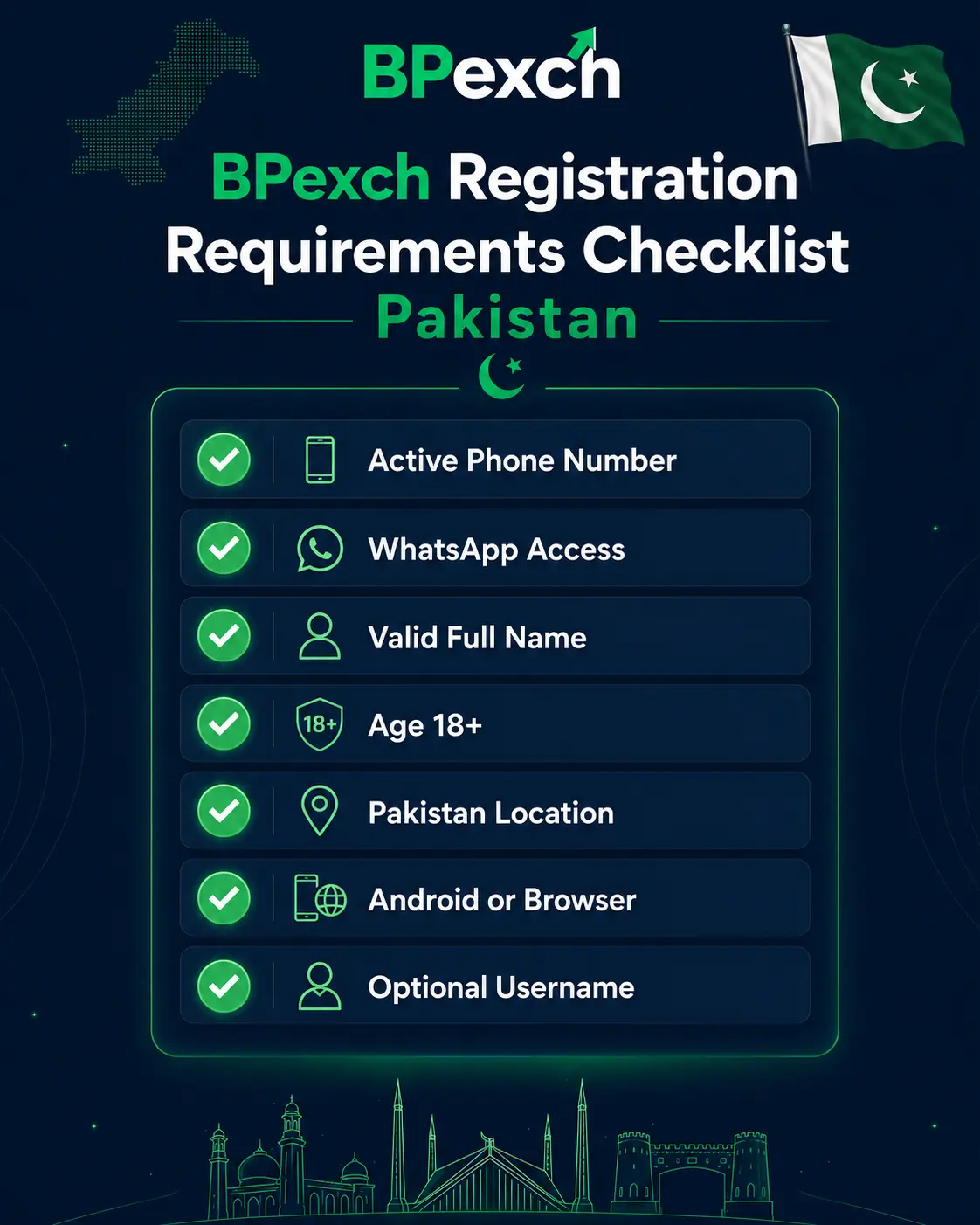
BPexch registration requirements in Pakistan depend on the route you choose. BetProRegistration.com provides two dealer-service onboarding routes: 24/7 human assistance through verified WhatsApp support and an online route through the BetProRegistration app. The online app can request details such as your name, username, phone or WhatsApp number, password, OTP verification, and an optional email address. WhatsApp-assisted onboarding follows the live instructions provided by the authorized dealer support team. In both routes, users should be 18 or older, provide accurate contact and account details, complete the required signup steps, and complete the required initial deposit before the BetPro ID is issued. Requirements can change, so this checklist explains what to prepare without making permanent claims about documents, payment methods, account timing, or verification rules.
For the full registration walkthrough, use the BPexch Registration guide. This page stays focused on the checklist: what you should have ready before you start, what may differ by route, what you should never share casually, and how to avoid registration delays.
Before You Start
People searching for BPexch registration requirements usually want a short, practical answer before they begin. They are not necessarily asking for another complete registration tutorial. They want to know whether they need a phone number, WhatsApp, an email address, a password, an OTP, payment information, identification documents, or a particular device. This guide therefore stays focused on what you should prepare before starting, while the full BPexch Registration guide covers the complete step-by-step process.
BetProRegistration.com operates as an authorized BetPro dealer service. BetPro is the platform users ultimately access with their BetPro ID. BetProRegistration.com handles dealer onboarding and ongoing support, including account setup assistance and deposit or withdrawal coordination. The BetProRegistration app is an optional dealer-service route for users who prefer online onboarding. It is separate from the BetPro platform itself.
There is no single permanent checklist that applies identically to every route and every future app version. The information requested in the online app may differ from the information a human support agent needs during assisted onboarding. Verification or payment requirements can also change, so confirm any changing operational detail through the current app or verified support route.
Another important correction concerns the initial deposit. In the current dealer process, the required signup steps and initial deposit are completed before the BetPro ID is issued. It is therefore inaccurate to describe the first deposit as something that always happens only after account activation. Users should prepare for the onboarding deposit and confirm the current amount and payment instructions through the same verified route they are using for registration.
The final principle is privacy. Registration requires enough information to create and support an account, but users should not send passwords, OTP codes, payment information, or identity material to random contacts. The safest approach is to start from BetProRegistration.com, use the published app or verified dealer support route, and follow the instructions shown there.
BPexch Registration Requirements: Core Checklist
The following checklist covers the practical items a Pakistan user should prepare before beginning BPexch registration through BetProRegistration.com.
1. You must be 18 or older
The service is intended for adults. Before starting registration, confirm that you meet the applicable age requirement for using the service in your location. Do not create or operate an account for a minor, and do not use someone else’s identity to work around an age restriction.
It also belongs at the start of the checklist because every later step assumes the user is legally able to proceed. Users should also review the site’s responsible gambling guidance before depositing or using betting services.
2. Use an active mobile number
An active phone number is one of the most useful registration details because it supports communication, account coordination, and verification. If you use the online dealer app, the current registration flow can request a phone number and OTP verification. If you use WhatsApp-assisted onboarding, the support team needs a working number that can receive messages and remain connected to the account support process.
Use a number you control and expect to keep. Frequently changing the registered contact number can make later account assistance more difficult. Double-check the digits before submitting because a wrong number can interrupt OTP delivery or create confusion when support tries to identify the correct account.
3. WhatsApp access is required for the assisted route
WhatsApp is the primary human-support route for users who want dealer assistance. If you choose assisted onboarding, you need a device and number that can use WhatsApp. Start the conversation through verified WhatsApp support from BetProRegistration.com rather than searching for random numbers in comments, social posts, or forwarded messages.
WhatsApp is not the only possible onboarding route. Users who prefer self-service can use the BetProRegistration app. That distinction matters because an older page may incorrectly describe WhatsApp as the only way to begin registration. The current process supports both human-assisted and online app onboarding.
4. Prepare your name and account details accurately
The registration route may ask for your name and account-related details. Use accurate information and keep the same spelling across the onboarding process. Inconsistent names can create problems later, particularly when a payment wallet or bank account is involved.
Do not invent details merely to complete a form quickly. If a field is unclear, ask support what is required instead of guessing. Accuracy at registration makes later deposit, withdrawal, and account-support requests easier to coordinate.
5. Choose a username carefully
The online app can request a username, and assisted onboarding may also require an account identifier or preferred username depending on the current process. Choose something you can recognize and store securely.
A preferred username may not always be available. If the current system or support team asks you to use a different available username, record the final username carefully because it may become part of your account access details. Do not confuse a username, BetPro ID, registered phone number, and password; they serve different purposes.
6. Create and protect a password
The online registration app can request a password. Use a password that is difficult for other people to guess, and do not reuse a password that protects your email, banking, or mobile wallet accounts.
A legitimate support conversation should not become a reason to publish or casually forward your password. If account access later fails, use the dedicated BetPro Login guide and the verified support route. Avoid sending your existing password to anyone who contacts you unexpectedly.
7. Be ready for OTP verification when the route requires it
The online app can use OTP verification as part of the registration process. An OTP is a temporary code, so it should be entered only in the legitimate registration flow for which it was requested.
Never forward an OTP to an unknown person, post it in a group, or share it with someone who claims they can “speed up” registration. If an OTP arrives when you are not actively registering or verifying an action, do not use it. Return to the verified app or dealer route and check what is happening.
8. Email may be optional in the app
The current online app can include an email field that is optional. That means this page should not claim that every BPexch registration always requires an email address, but it should also not claim that email is never used.
If you choose to provide an email address, use one you control. Do not use a temporary address if you may later need records or service communication. The key point is to follow the current field labels in the app rather than relying on an old checklist.
9. Prepare for the required initial deposit
The current dealer onboarding process includes a required initial deposit before the BetPro ID is issued. Users should therefore be ready to follow the current deposit instructions after the required signup details are completed.
Do not send money to a payment number found in a public comment, copied post, or unsolicited message. Confirm the current payment method and destination through the same verified route you are using for onboarding. Payment methods can change, so a static article should not be treated as a permanent list of receiving accounts or numbers.
The deposit is part of the current onboarding sequence, but the exact operational amount or method should be confirmed at the time of registration because payment options or limits can change.
10. Use a supported device and reliable connection
You can use the online dealer app on a compatible Android device or use WhatsApp-assisted support from a device that can access WhatsApp. A reliable internet connection helps avoid incomplete form submissions, delayed OTP delivery, or repeated messages.
For general mobile-app information, use the BPexch App guide. For Android download, installation, update, or APK instructions, use the dedicated BetProExch App Download guide.
BPexch Registration Requirements by Route
The cleanest way to understand the checklist is to separate the two real onboarding routes.
Requirements for WhatsApp-assisted registration
For the human-assisted route, prepare an active WhatsApp number, accurate personal and account details requested by the support team, and the ability to follow the current initial-deposit instructions. The dealer support team is available 24/7 to guide users through signup and later account-service questions.
Because operational requirements can change, confirm any additional information request through the verified route. If verification is needed, support should explain the purpose, and you should provide only information relevant to the current account-service task.
Use the verified support link provided on BetProRegistration.com rather than relying on a WhatsApp number copied from an unknown page, social post, or forwarded message.
Requirements for online app registration
For the online app route, the current registration flow can request a name, username, phone or WhatsApp number, password, OTP verification, and an optional email address. The live form is the final reference because app fields can change as the service is updated.
After the required signup steps are completed, follow the current initial-deposit instructions in the same service flow. The BetPro ID is issued after the required signup and deposit steps are completed. The user can then use the BetPro ID for access to the BetPro platform.
If the app presents a field or verification step that this article does not mention, follow the current app instructions. A live service flow is more authoritative for changing operational fields than an older screenshot or cached article.
Do You Need CNIC, Passport, or KYC Documents?
Requirements can vary, so do not assume that CNIC, passport, identity verification, or KYC documents are always required or never required. Verification requirements may depend on the current account or service process.
Users should not upload identity documents to random people or unverified websites. If the current verified registration route requests additional verification, read the request carefully and confirm why the information is needed. The site’s privacy policy should explain how data is handled by the relevant service channels.
If additional verification is requested, confirm it through the current verified route before sharing documents or sensitive information.
Is BPexch Registration Free?
There is no separate setup fee for the basic authorized-dealer guidance described on BetProRegistration.com. However, users should not interpret “no setup fee” as “no funds are needed during onboarding.”
The current process includes a required initial deposit before the BetPro ID is issued. That deposit is account funding, not a separate fee charged simply for receiving guidance. Users should confirm the current deposit amount and payment instructions through the verified onboarding route before sending money.
In practical terms, there may be no separate setup fee for the dealer guidance, but the required initial deposit still applies before the BetPro ID is issued.
BPexch Registration Requirements vs BetPro Sign Up
BPexch registration requirements and BetPro sign up are closely related, but they answer different questions.
Use this page when you want to know what to prepare before starting. Use BetPro Sign Up for the broader account-creation process, or the BPexch Registration guide for a complete BPexch-specific walkthrough.
Keeping those tasks separate makes it easier to move from preparation to the correct next step without repeating the same instructions on every page.
When Is a BetPro ID Issued?
In the current dealer process, the BetPro ID is provided after the required signup steps and initial deposit have been completed. Users who want a dedicated explanation of the credential should use the BetPro ID Pakistan guide.
The BetPro ID should not be described as the same thing as a phone number, an OTP, or a password. Keep these identifiers separate and store account credentials securely.
If a user already has an ID but cannot access the account, that is a login or troubleshooting problem rather than a registration-requirements problem. Route that user to the login owner instead of encouraging a second registration.
Information You Should Never Share Casually
Security is also part of registration preparation because fake support contacts can imitate normal onboarding questions.
Do not casually share your password, OTP, mobile-wallet PIN, email password, banking login, or device-access credentials. Do not install remote-control software simply because someone says it is required for registration. Do not transfer funds to a number that appeared in an unsolicited message without confirming the payment route.
A legitimate registration process may require account details and payment information appropriate to the task. The difference is context and verification. Start from BetProRegistration.com, use the current app or authorized dealer support route, and confirm unusual requests before acting.
If someone contacts you first and pressures you with a limited-time offer, guaranteed bonus, instant account activation, or urgent payment demand, stop and verify the contact. Trust should come from the known route, not from a copied logo or profile photo.
Common Reasons Registration Gets Delayed
Incorrect phone number
A wrong digit can prevent OTP delivery or make support unable to match the request. Check the number before submitting.
Inconsistent name or payment details
Different spellings across the registration form and payment account can create additional verification work. Use accurate details and explain legitimate differences when support asks.
Using the wrong route
Starting in the app and then sending a separate duplicate registration request to an unrelated WhatsApp contact can create confusion. Use one verified route and follow it through the required steps unless support tells you otherwise.
Missing OTP or verification step
If the app requires OTP verification, complete it inside the legitimate flow. Do not send the OTP to another person.
Sending payment before confirming current instructions
Payment destinations and methods can change. Confirm the live instructions before making the required initial deposit.
Reusing outdated screenshots or old blog instructions
App screens, field names, and service processes can change. Use current on-screen instructions and current support guidance instead of assuming an old screenshot is permanent.
BPexch Registration Requirements Checklist Before You Start
Use this quick final check:
- You are 18 or older.
- You have an active mobile number.
- You can access WhatsApp if you choose assisted onboarding.
- You have accurate name and account details ready.
- You can choose and securely store a username and password when required.
- You can receive OTP verification if the app requests it.
- You understand that email can be optional depending on the current app flow.
- You are prepared to follow the required initial-deposit step.
- You will confirm current payment instructions before sending funds.
- You will start only from BetProRegistration.com, its current app, or verified dealer support.
- You will not share passwords, OTPs, wallet PINs, or unrelated sensitive credentials.
- You will use the broader registration, login, ID, or app guide when your question moves beyond requirements.
Before you begin, keep a private note for reference of the route you used, the registered mobile number, the final username, and the date you completed onboarding. Do not store your password or OTP in a public chat or shared screenshot. This record helps you explain the account history if you later contact support about login, deposit, or withdrawal questions. It also reduces the temptation to create a second registration when the real problem is access to an existing account. If any instruction conflicts with what the current app or verified dealer route shows, stop and confirm the newer instruction before proceeding. Registration requirements are operational details, so the live verified workflow should take priority over cached pages, old social posts, forwarded screenshots, or advice copied from another user.
Choosing Between WhatsApp and App Registration
A strict, permanent checklist looks simple, but it becomes inaccurate when an app field or verification rule changes. A flexible checklist requires users to confirm a few details at the time of signup, but it is safer and more durable.
Human-assisted WhatsApp onboarding provides direct help and is useful for users who want someone to coordinate the process. The online app provides a self-service route for users who prefer entering information themselves. Neither route should be described as universally better; the right choice depends on how the user wants to complete onboarding.
The required initial deposit makes the process more than a zero-cost form submission, even though there is no separate setup fee for basic dealer guidance. Clear wording may sound less promotional than “free registration,” but it prevents users from being surprised later.
Security also creates a trade-off between convenience and verification. It may be faster to trust the first number that messages you, but verifying the support route protects your account and payment information. A few extra seconds spent checking the source is worthwhile.
If your question moves beyond registration requirements into login, app download, or BetPro ID access, use the dedicated guide for that task so you can follow the most relevant instructions.
Next Steps
If you are ready to register, choose the route that suits you.
For human-assisted onboarding, start from authorized dealer WhatsApp support linked from BetProRegistration.com. Prepare your active mobile number and the account details requested by support, then follow the current signup and initial-deposit instructions.
For online onboarding, use the BetProRegistration app and follow the current registration form. Enter accurate information, complete OTP verification when requested, protect your password, and follow the current deposit instructions shown by the service.
If you want the complete BPexch process rather than just the checklist, continue to the BPexch Registration guide. If your question is specifically about creating an account, use BetPro Sign Up. If you already have credentials and cannot access the account, use BetPro Login. If you need to understand the credential itself, use BetPro ID Pakistan.
Current Process Note
This requirements guide is based on the current BetProRegistration authorized-dealer workflow documented in August 2026, including the two onboarding routes, the online app registration fields, OTP verification, optional email, required initial-deposit sequence, BetPro ID issuance, and 24/7 human dealer support.
Operational requirements can change. Current app fields and verified support instructions should take priority over an older screenshot or cached version of this article.
Frequently Asked Questions
What are the main BPexch registration requirements in Pakistan?
Prepare an active mobile number, accurate signup details, a secure username and password when requested, OTP access for app verification, and the ability to complete the required initial deposit. WhatsApp access is needed for the assisted route, while the online dealer app provides a self-service alternative.
Do I need WhatsApp to register?
You need WhatsApp if you choose the human-assisted dealer route. Users who prefer online self-service can use the BetProRegistration app and follow the current form and verification instructions there.
Is a deposit required before I receive the BetPro ID?
Under the current dealer onboarding process, the required signup steps and initial deposit are completed before the BetPro ID is issued. Confirm the current deposit instructions through the same verified route you use for registration.
Conclusion
Ready to begin? Review the checklist once, choose either the online dealer app or verified human support, and follow the current instructions carefully. Keep your contact information accurate, protect passwords and OTPs, confirm payment details before sending funds, and use the dedicated owner pages whenever your question shifts from requirements to registration, login, app access, or BetPro ID support.