
Download BetPro
Auto Deposit &
Withdrawal App
This is the dedicated BetProExch app download and installation resource on BetProRegistration.com. The Android download below is for the BetProRegistration authorized-dealer service app, used for online signup and dealer-service functions such as deposit and withdrawal assistance. It should not be confused with ownership of the BetPro Exchange platform itself.
If your intent is general BPexch App information rather than downloading or installing the Android app, use the BPexch App guide. Promotions, app versions, device requirements, and available service options can change, so confirm current details on the download page or with dealer support.
For safety, use the current download route published by BetProRegistration.com rather than an unknown APK mirror.
Why Download the BetProRegistration Android App?
The app provides an online route for signup and dealer-service requests. Users who prefer human help can instead use the site's verified WhatsApp route. The app does not replace the BetPro platform; it supports the authorized dealer onboarding and service process.
Users who prefer self-service can start the dealer onboarding process through the app and follow the current instructions shown there.
After the required signup and initial deposit steps are completed, the user receives a BetPro ID for use on the BetPro platform.
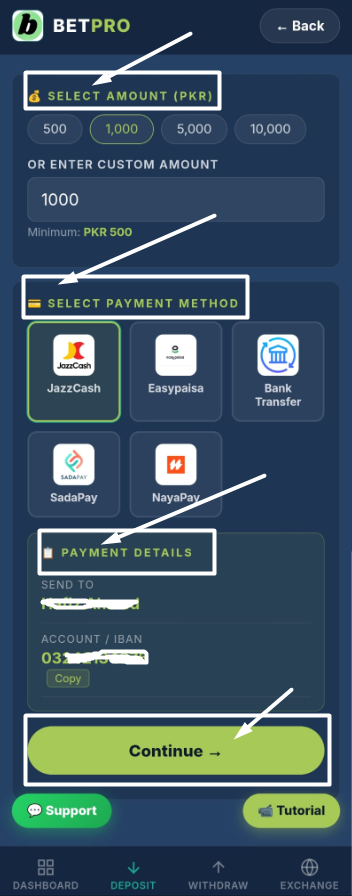
The dealer service supports deposit requests. Payment methods and instructions can change, so confirm the current options before sending funds.
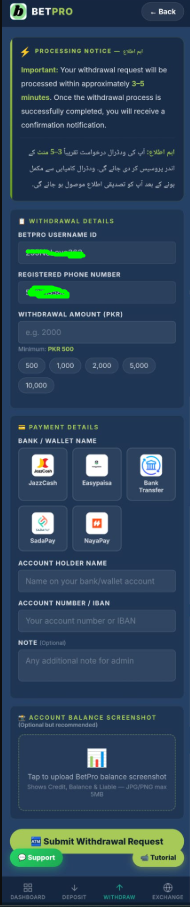
Users can obtain dealer assistance with withdrawal requests. Processing steps and timing depend on the current account and service conditions.
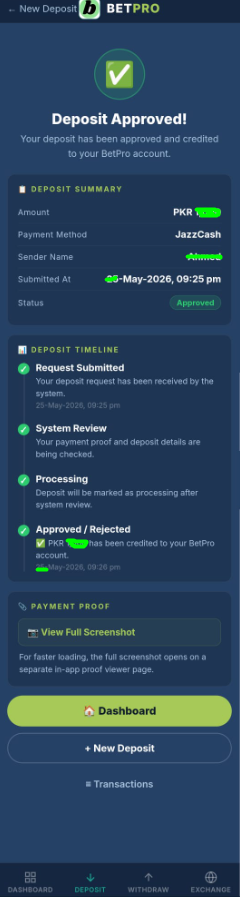
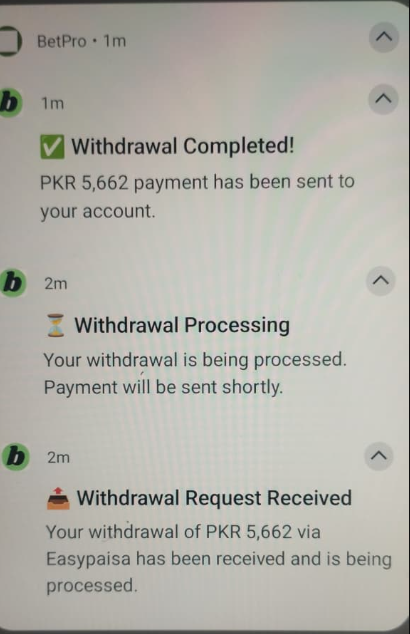
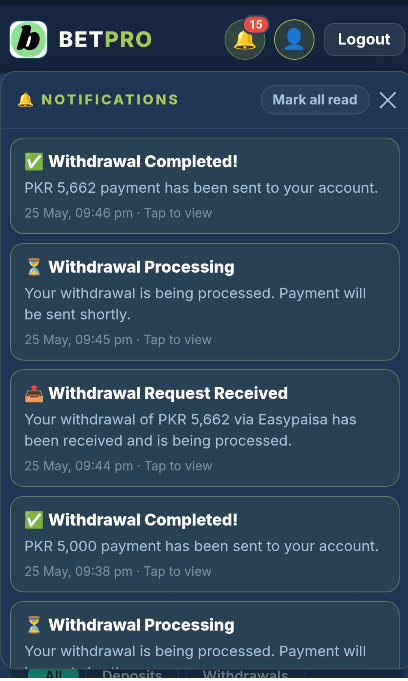
Where supported by the current app build, account-service request status and notifications can be shown inside the app.
BetProRegistration.com provides 24/7 human dealer support for signup, deposits, withdrawals, and account-service questions.
BetProExch App — Real Screenshots
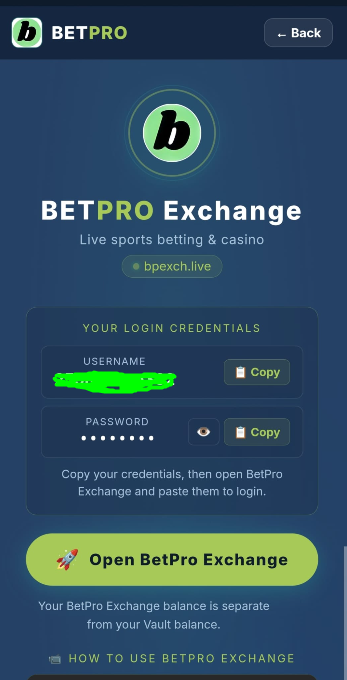
The screenshots below document the BetProRegistration dealer-service app interface used on this site. The live interface can change as the app is updated, so use the current download and support routes for the latest behavior.
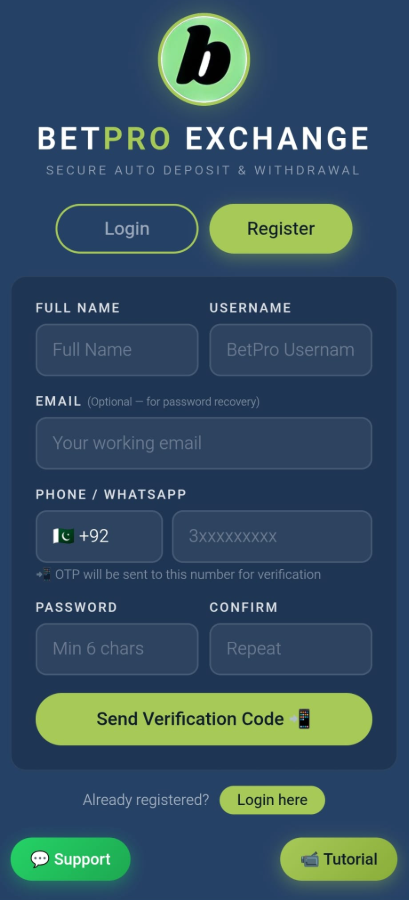
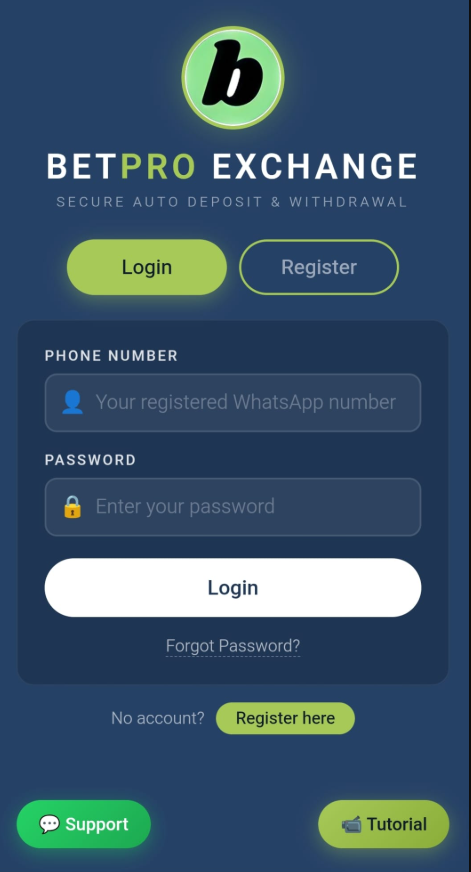
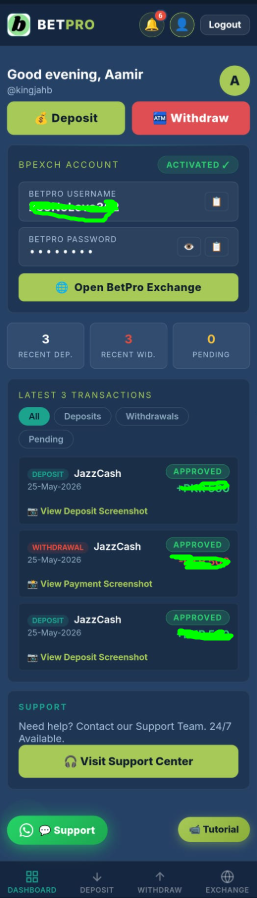

Use the verified dealer support route for 24/7 human assistance with signup, deposits, withdrawals, or account-service questions.
💬 Open WhatsApp SupportStep-by-step video guides covering app installation and common dealer-service functions. Promotions shown in older videos may change.
▶ Watch TutorialsBetProRegistration App Tutorial Video
Watch the app walkthrough for download, installation, signup/account access, deposit and withdrawal requests, status information, payment proof, and support. Interfaces and promotional terms shown in recorded videos can become outdated, so confirm current details in the live app or with dealer support.
Promotions and App Details Can Change
Do not rely on an old fixed bonus percentage, APK version number, file size, or promotional screenshot. Before depositing or installing an update, check the current information shown by BetProRegistration.com or confirm it with authorized dealer support.
Promotion Notice
Promotions and eligibility can change. Confirm current terms before relying on an older video, screenshot, or article.
How to Download and Install the Android App
Use the current dealer download route below. Android menu names vary by device and Android version, so follow the prompts shown on your phone rather than relying on one fixed settings path.
Open the Current Download Page
Tap the Download Android App button on this page. It opens the current app download route on app.betproregistration.com. Avoid unrelated APK mirrors, copied download pages, and forwarded files from unknown contacts.
Download the APK File
Allow the download to finish before opening the file. If the download page displays a current version or file size, use those live details instead of an older value quoted elsewhere.
Allow Installation for the Download Source
If Android blocks installation, follow your device's prompt to allow installation from the browser or file manager you used. This permission carries security risk, so grant it only for the source you intentionally used and disable it again afterward if your device allows.
Install and Open the App
Open the completed APK download and follow Android's installation prompts. After installation, launch the BetProRegistration dealer app and verify that the interface matches the service you intended to use.
Use the Correct Owner for the Next Task
For signup, use the BetPro Sign Up guide. For BPexch registration, use the BPexch Registration guide. If you already have a BetPro ID and need account access, use the BetPro Login guide.
APK Safety Notice
Use the current download route published by BetProRegistration.com. Do not assume an old filename, version number, file size, or third-party mirror is still valid.
Latest Version, Updates, Old APKs and Device Compatibility
Version numbers, file sizes, Android requirements, and platform availability can change. Treat the current app download page as the source for the build being offered today.
How to Handle Version Queries
For “latest version” searches, use the current download page and check the build details shown there. We intentionally do not hard-code a version number here because an app update can make it stale.
If the current build will not install on your device, contact dealer support before searching for an old APK. An outdated build may no longer be supported or may not be safe to use.
Check the current app/service information for platform availability. For general mobile-access information rather than an Android download, use the BPexch App guide.
Avoid unknown APK mirrors, copied download pages, Telegram files, or forwarded APKs. A third-party file can be outdated or modified. Start from the current BetProRegistration.com download route.
Downloaded the App but Need BetPro Login Help?
Login and password troubleshooting are separate from APK download intent. If you already have a BetPro ID and cannot access the account, use the dedicated BetPro Login guide.
Already Have a BetPro ID?
Do not register again just because login fails. Check the credentials associated with your existing account and use the Login owner page for troubleshooting.
Need a New Account?
Use the BetPro Sign Up owner or the BPexch Registration guide.
Need BetPro ID Information?
Use the BetPro ID Pakistan guide for ID-specific questions.
Need Human Assistance?
Use the verified 24/7 authorized dealer WhatsApp route.
Video Guides for Every App Function
Each short guide covers one specific app function. Tap any video card to watch the tutorial without loading all players at once.
Open the current dealer download route, install the Android app, and review the device prompts carefully.
Create your account, verify OTP, login securely, and access your dashboard.
This older tutorial may show promotional terms that have changed. Confirm current eligibility and terms before relying on the recording.
Enter amount, select payment method, upload proof, submit request, and track status.
Enter withdrawal amount, add payout details, submit request, and track status.
Use the support button and get help with login, OTP, deposit, withdrawal, and app issues.
Deposit and Withdrawal Methods in Pakistan
Payment methods and account instructions can change. Confirm the current options shown by the dealer service before sending funds or submitting a withdrawal request.
Do not rely on an old screenshot or copied payment account. Confirm current instructions before each transaction.
App Download Information
| Purpose | BetProRegistration authorized-dealer service app |
| Primary Intent | Android app download, APK installation, updates and version queries |
| Current Download | Use the app.betproregistration.com download route linked on this page |
| Version | Check the current download page; do not rely on an old hard-coded version |
| File Size | Check the current download page because builds can change |
| Compatibility | Follow the requirements shown for the current build |
| Signup | Available through the dealer app or 24/7 WhatsApp assistance |
| BetPro ID | Issued after the required onboarding and initial deposit steps are completed |
| Support | 24/7 human dealer assistance |
| Payments | Confirm current deposit and withdrawal options before each transaction |
Frequently Asked Questions
Account & Support Questions
APK Download Safety Note
Use the current Android download route published by BetProRegistration.com. Avoid APK files from unknown mirror sites, Telegram groups, forwarded messages, or copied download pages. Do not rely on an old filename, version number, or file size as proof that a file is safe.
Responsible Use Notice: This app facilitates deposits and withdrawals for real-money betting on BetPro Exchange. Before depositing, always set a strict personal budget and stick to it. Never deposit money you cannot afford to lose, and never use borrowed funds. BetPro Exchange is entertainment — not a reliable income source. You must be of legal age in your jurisdiction to use this platform. If betting is affecting your finances or personal wellbeing, stop immediately and seek professional support. For full guidance, read our responsible gambling guide.
Use the Right Guide for Your Next Task
Ready to Download the Android Dealer App?
Use the current BetProRegistration app download route for Android. For human assistance with signup, BetPro ID onboarding, deposits, or withdrawals, use verified dealer support.